


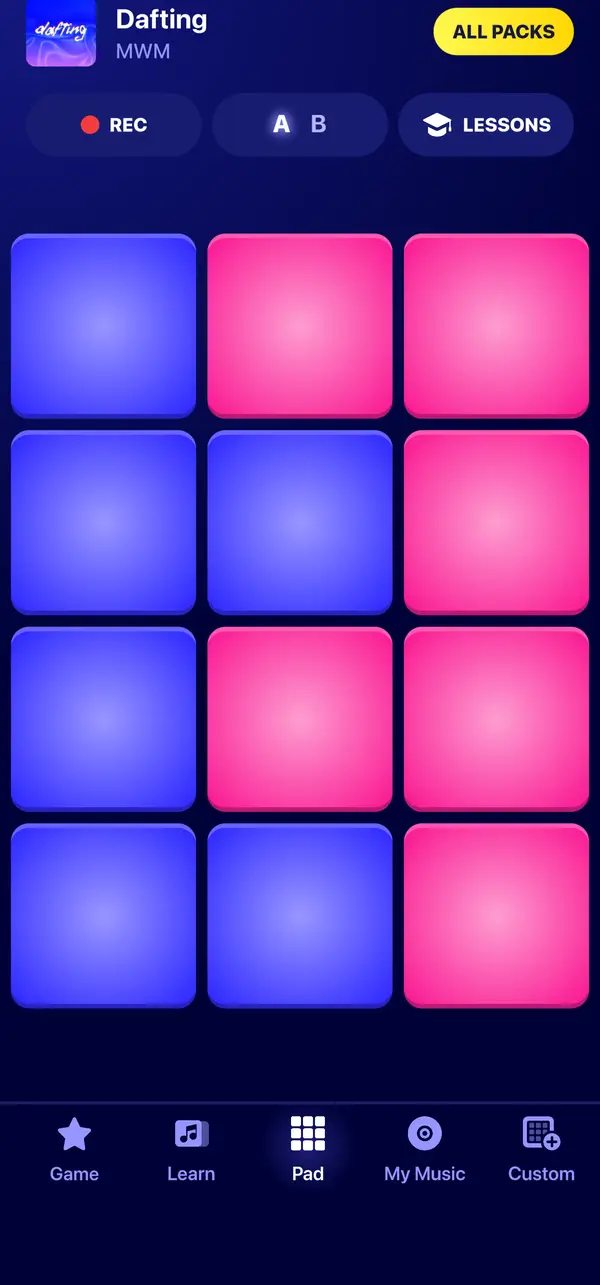
From drum machines to your phone
Pads became a classic of beat making with the Akai MPC. The first model, the MPC60, was released in 1988 and designed by engineer Roger Linn with Akai. Instead of small buttons, it had a 4 by 4 grid of large rubber pads that could be played much like a keyboard.
The idea is simple: each sound gets its own pad, and you trigger the sounds independently, as you would play a drum kit. Drum pad apps bring the same idea to a touchscreen.
Samples, kits and packs
- Sample
A short recorded sound: a drum hit, a bass note, a chord, a vocal or an effect.
- Kit
A set of sounds that work together, laid out on pads.
- Sound pack
In Beat Maker Pro, a kit with its own pads, colors and lessons, often built around a song or a style.
In Beat Maker Pro, each sound pack is a ready-made kit of 12 pads, with a second deck of 12 more on many packs, and its own lessons. You can also build your own kit from the sounds of the app.
Build a custom packOne-shots and choke groups
Two ideas explain most of what you hear when you play pads.
- One-shot
- The sound plays once, from start to end, each time you hit the pad. To repeat it, you hit the pad again. In Beat Maker Pro, every pad works this way: there is no loop button, you play the rhythm yourself.
- Choke group
- Sounds in the same choke group silence each other: playing one stops the others. The classic example is a closed hi-hat cutting off an open one, as on a real drum kit. In many Beat Maker Pro packs, a new sound stops the previous one from the same family.
How to read a pad grid
Pads in Beat Maker Pro are colored by family: drums, bass, lead and effects. When you open a new pack, start by finding the kick and the snare, then explore the rest.
Find the drums
Tap each drum pad once to hear the kick, the snare and the hi-hats.
Listen to the rest
Try the bass, lead and effect pads to hear what the pack can do.
Switch decks
If the pack has a deck B, switch to it: it holds 12 more sounds.
Questions & answers
A few things worth knowing
What is the difference between a sample and a loop?
A sample is any recorded sound you can play. A loop is a sample made to repeat seamlessly, often a full bar of music. Beat Maker Pro pads play their sounds once per tap, so you build the repetition yourself.
How many pads does Beat Maker Pro have?
Twelve pads per deck. Many packs have a second deck, for 24 pads in total.
Do I need a pad controller?
No. Beat Maker Pro turns the touchscreen of your phone or tablet into the pads.